
Instagram By Gabriela Silva9 min read
Step-by-step instructions on how to remove your online status from Instagram.
By Gabriela Silva9 min read
In this article
- Is it possible to remove the online status from Instagram?
- How do I remove my online status from Instagram?
- How to remove your online status from Instagram on your mobile phone, step by step.
- Can anyone see that I'm online on Instagram?
- Why does my Instagram keep coming online by itself?
- If I turn off my online status on Instagram, will I be able to see other people online?
- Can other people see my profile if my online status is disabled?
- How long after turning off my Instagram account will I appear offline again?
- Will my contacts know that I turned off my online status on Instagram?
- How can I tell if someone has turned off their online status on Instagram?
- I can't turn off my online status on Instagram.
- Is it possible to reactivate Instagram's online status?
Learning how to turn off your online status on Instagram is a way for users to protect their privacy on the social network. After all, just because someone is on Instagram doesn't mean they're available to chat or interact with other users. On the contrary, they might be very busy and quickly checked Instagram to do something necessary, like scheduling a post. In other situations, Instagram users simply want to enjoy their time on the network without worrying about direct messages, for example. Therefore, discovering how to turn off your online status on Instagram can be very useful in all situations where you don't want to appear online on the social network. This function makes you invisible to other people, as if you were offline. Keep reading and see how to do it!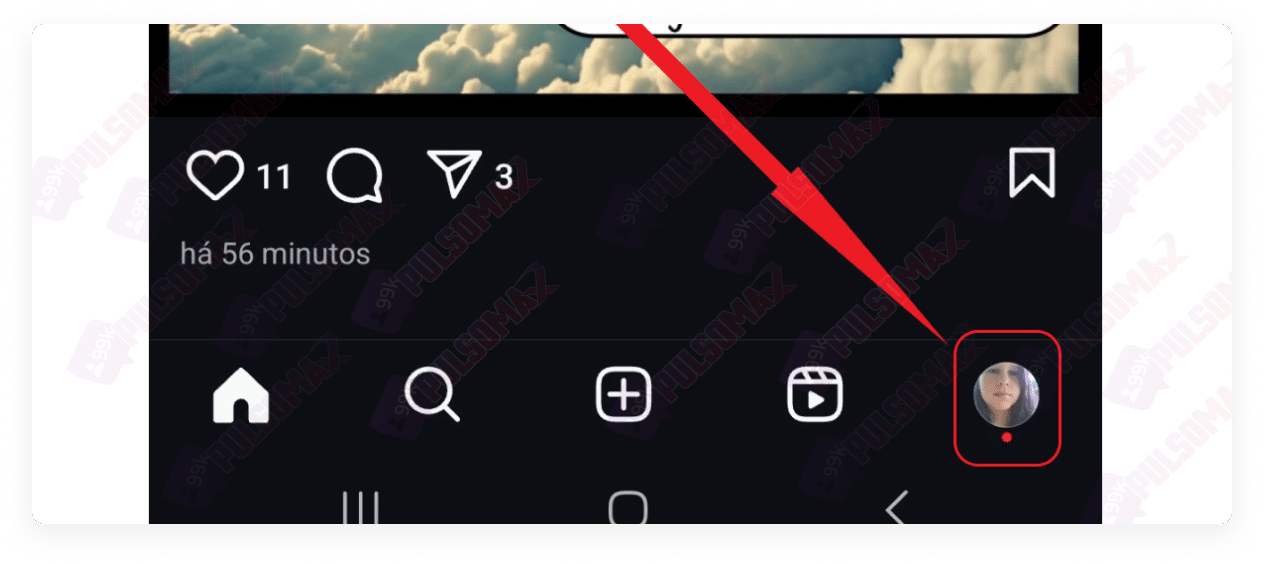 Next, click the button with the 3 lines in the upper left corner, as shown in the image below.
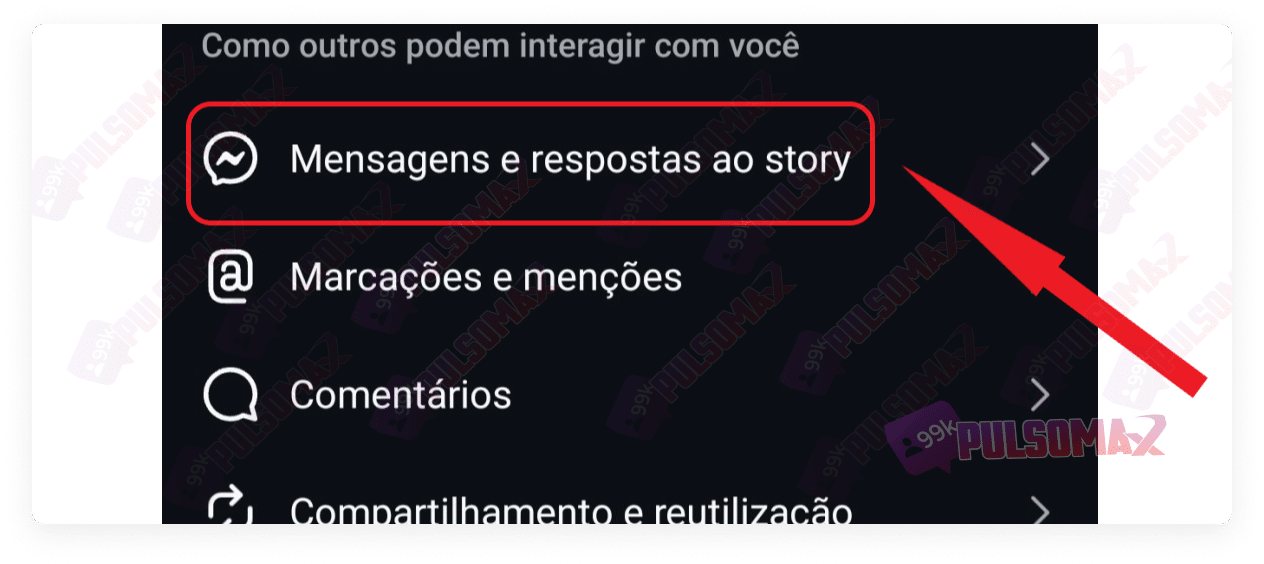
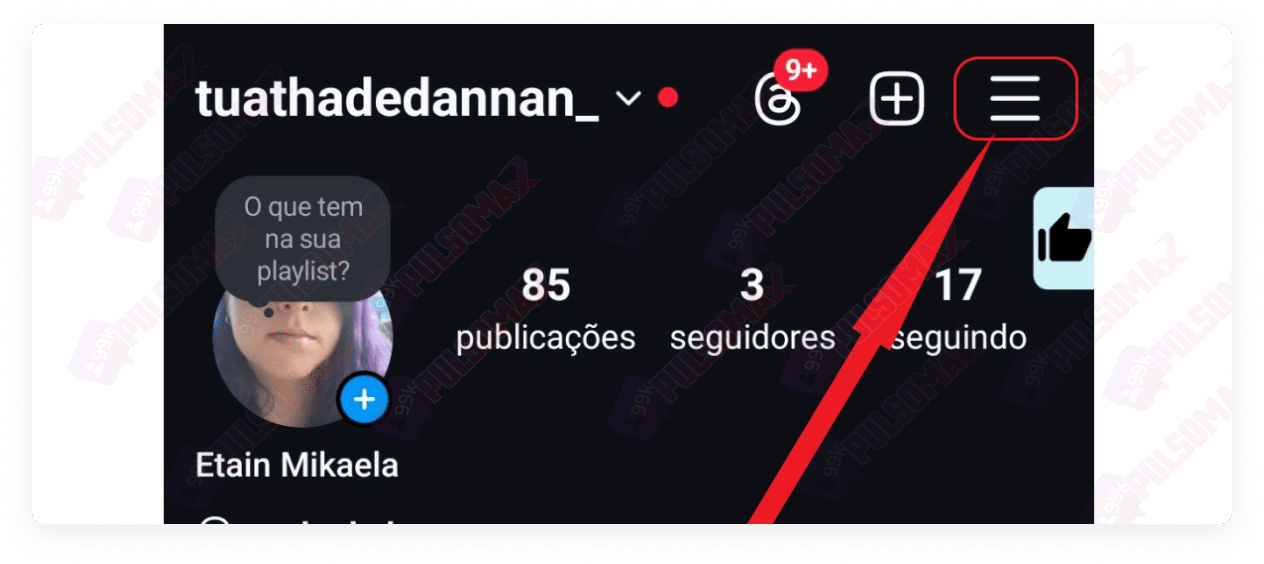 Now, tap on messages and replies to the story .
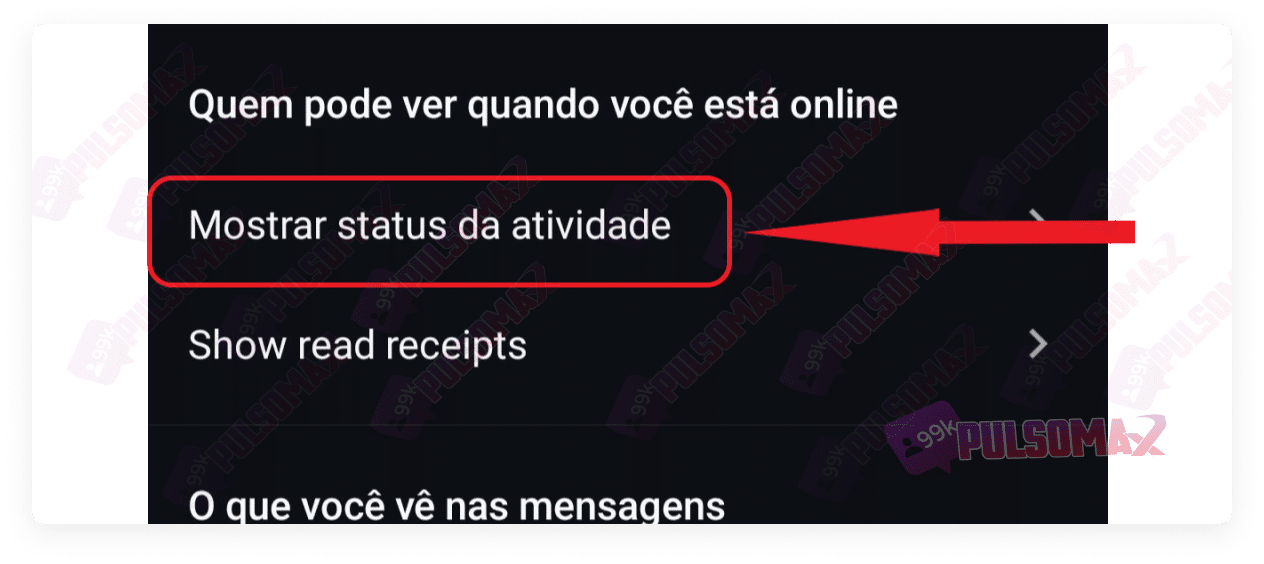
 Next, click on "show activity status ," located just below "who can see when you're online."
 On the next screen, disable the "show activity status" button.
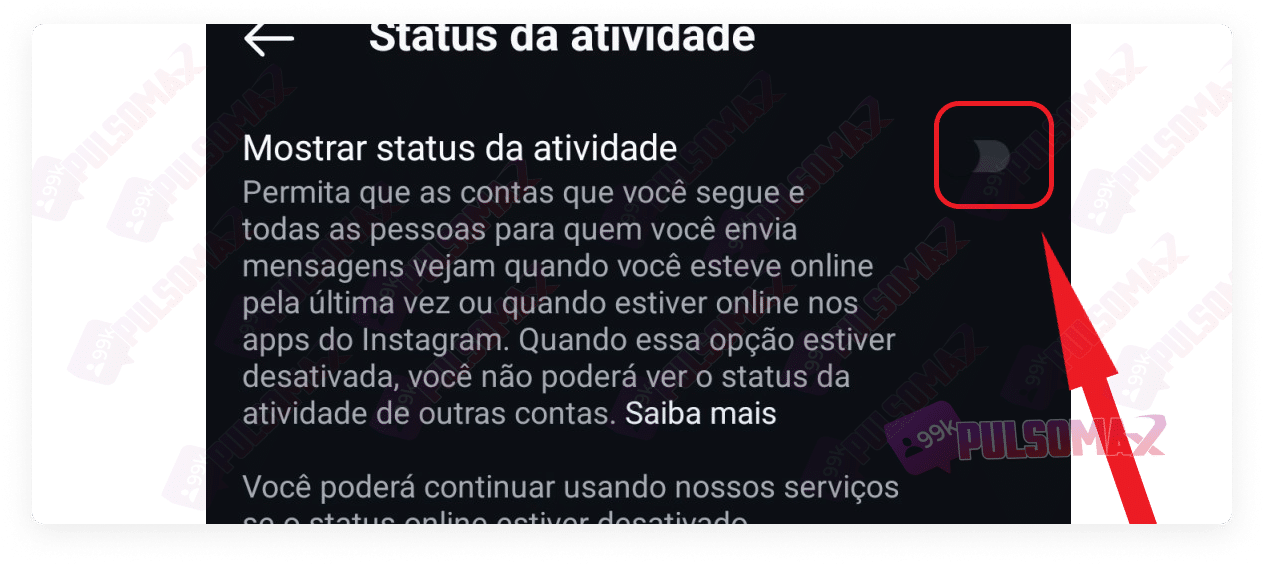 Done! You will no longer appear online on Instagram, not even in your stories. But pay attention: by disabling this option, you will also no longer be able to see the online status of other accounts, nor will you be able to see the "last seen" status of other users, showing when they last logged in.
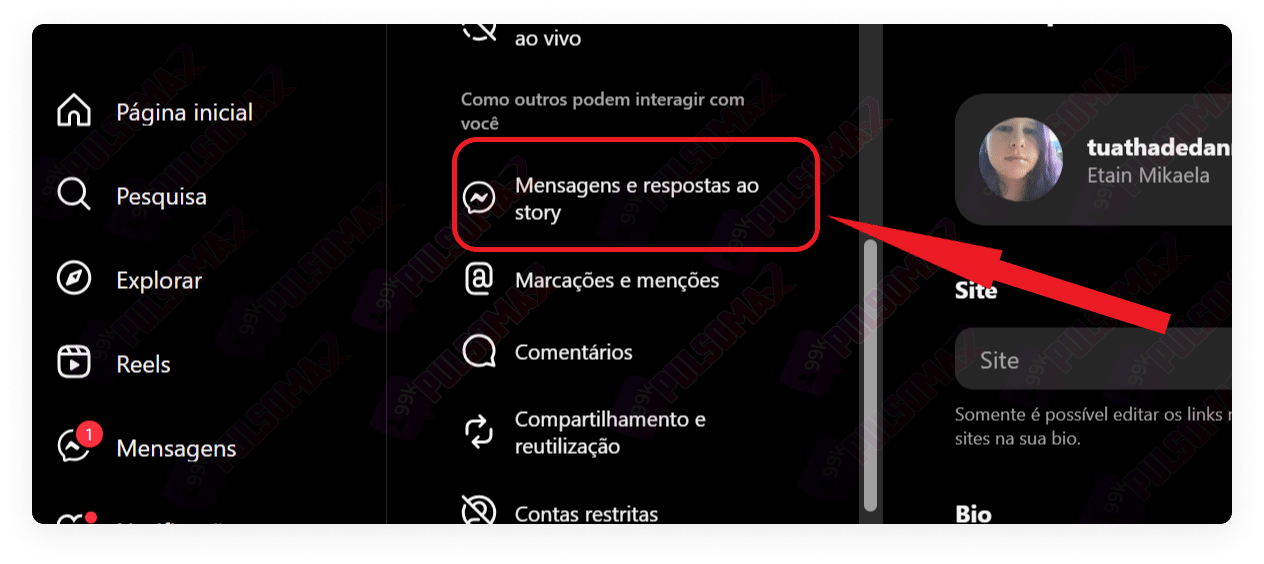
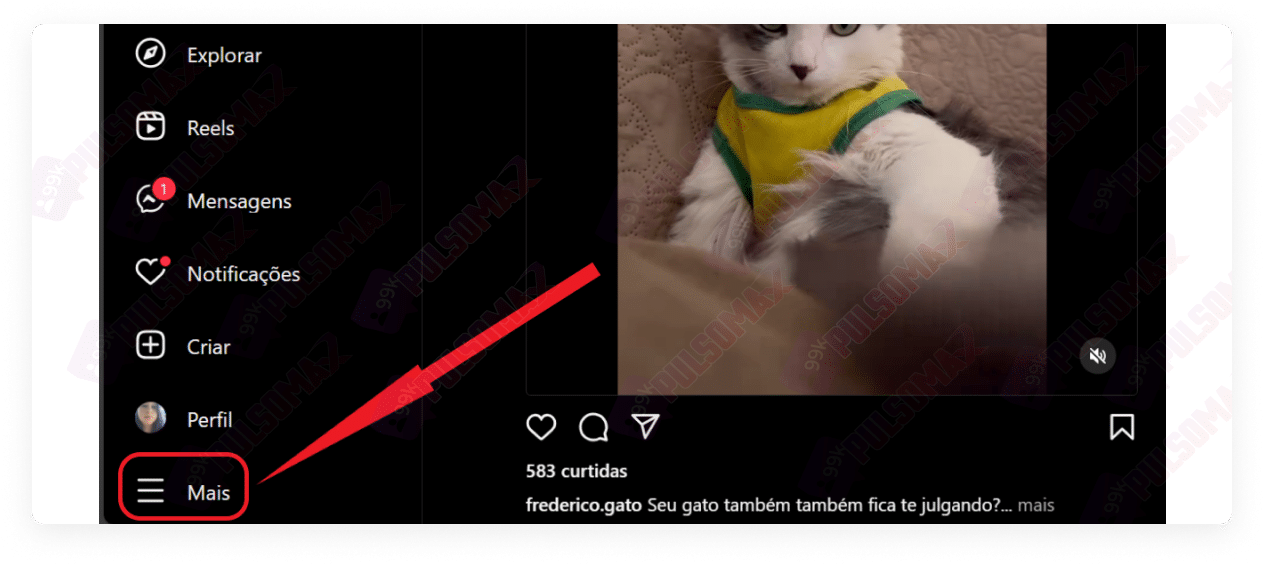 Among the options that will appear in the menu, tap on settings . Now, click on messages and replies to the story .
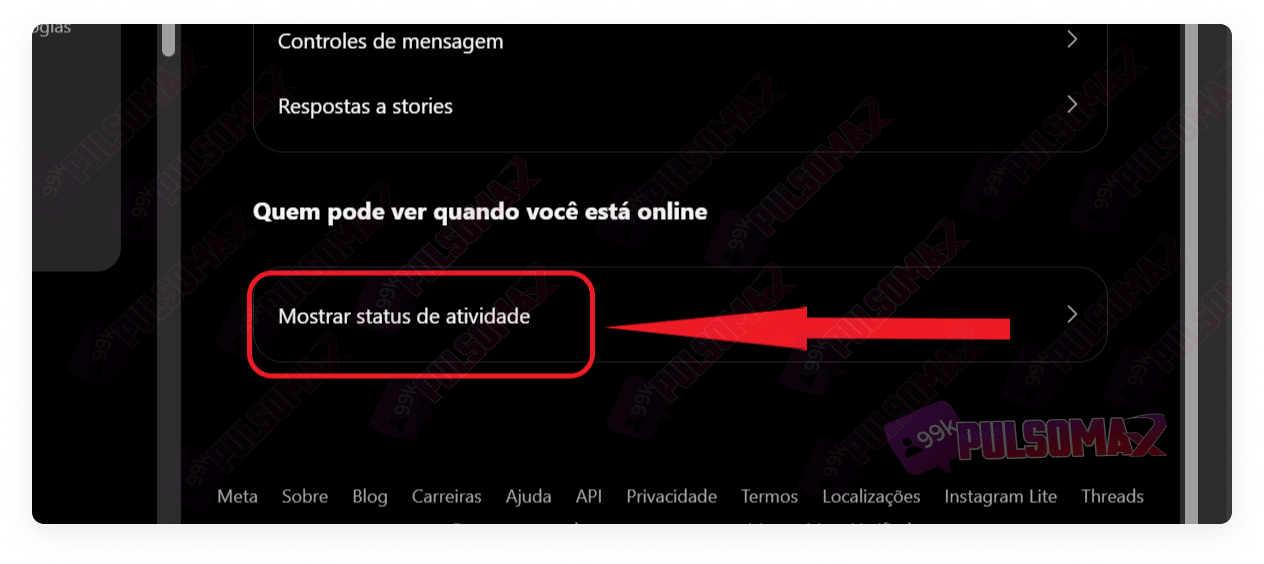
 Then, tap on "show activity status ".
 On the next screen, uncheck the "show activity status" button.
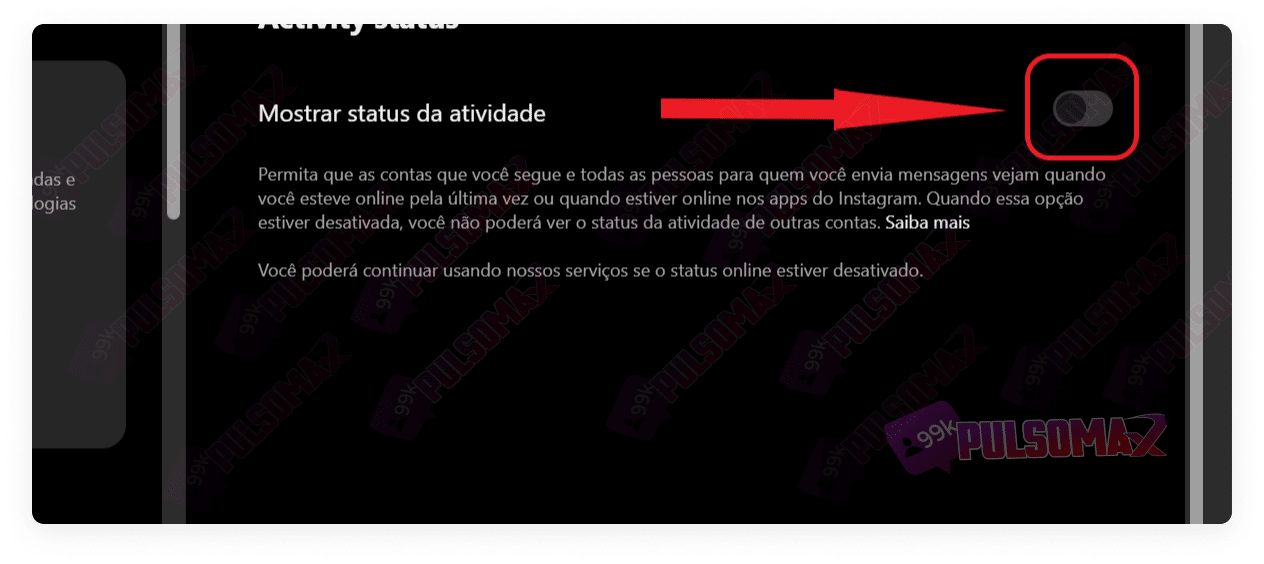 Done! You've deactivated your online status on Instagram from your computer!
Is it possible to remove the online status from Instagram?
Yes, it's possible! It's important to say this because many people who wonder how to turn off their online status on Instagram aren't actually sure if it's possible. So, the good news for all these users is that they don't have to display their online status to their Instagram followers and direct messages when they don't want to.How do I remove my online status from Instagram?
Instagram's online status feature shows other people when you are logged into the social network. It also shows the time elapsed since your last login. It's represented by a small green dot next to your profile picture, and also next to your name in direct chat. Of course, in some situations, this is very useful. For example, for people who want to interact with other users, or who want to resolve important matters with their contacts while they are online. On the other hand, this isn't always the case, and knowing how to turn off your online status on Instagram is a way to protect your privacy, just like learning how to activate and deactivate Instagram's temporary status mode . However, many users don't know which settings to access on Instagram to turn off their online status. If this is your case, check it out below!How to remove your online status from Instagram on your mobile phone, step by step.
Learning how to turn off your online status on Instagram is simpler than most users imagine! To begin, first open the Instagram app on your Android or iOS phone. Then, tap on your profile picture thumbnail in the bottom right corner of the screen. Next, click the button with the 3 lines in the upper left corner, as shown in the image below. Now, tap on messages and replies to the story . Next, click on "show activity status ," located just below "who can see when you're online." On the next screen, disable the "show activity status" button. Done! You will no longer appear online on Instagram, not even in your stories. But pay attention: by disabling this option, you will also no longer be able to see the online status of other accounts, nor will you be able to see the "last seen" status of other users, showing when they last logged in.How to remove your online status from Instagram on your computer, step by step.
Many people also access Instagram via computer. In these cases, if Instagram's online status is active, other users who follow you or with whom you've chatted via direct message will also be able to see if you're online. Therefore, if you don't want this to happen, check out the step-by-step instructions below and learn how to turn off your online status on Instagram using a computer. First, log into your Instagram account via Instagram Web and tap on "More" in the bottom left corner of the screen. Among the options that will appear in the menu, tap on settings . Now, click on messages and replies to the story . Then, tap on "show activity status ". On the next screen, uncheck the "show activity status" button. Done! You've deactivated your online status on Instagram from your computer!

